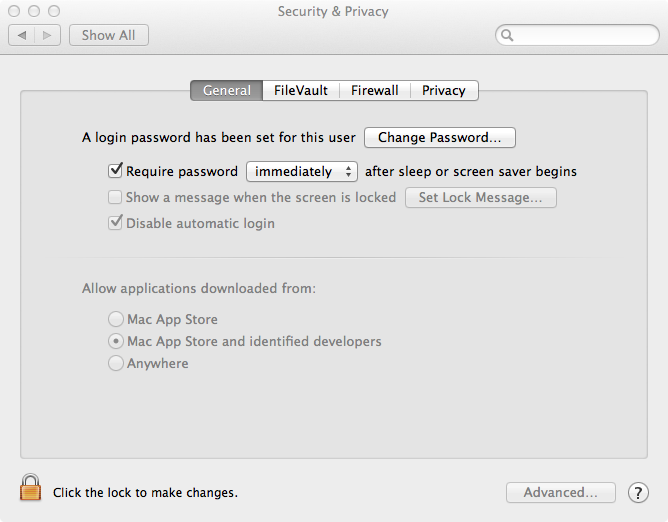
The message you see when trying to start the yEd installer application is due to the default security settings of Mac OS X 10.8 (Mountain Lion). These allow only applications downloaded from
"Mac App Store and identified developers"
(cf. Apple menu > "System Preferences..." > "Personal" section > "Security & Privacy" > "General" pane).
Being a long-before-Mountain-Lion-application, the yEd installer is not specifically signed for Mountain Lion, and since it is not from the Mac App Store either, your system prompts you with this (highly misleading) alert.
If you change the setting in the "Security & Privacy" preferences to "Anywhere", you can run the yEd installer application and install yEd on your Mac without any problems.
